Robotic Pool Cleaner Maintenance Tips
Practical advice for using, cleaning, storing and maintaining a Dolphin robotic pool cleaner.
Dolphin robotic pool cleaners are designed to make pool maintenance easier, but they perform best when used and cared for correctly. Good habits around water balance, cable handling, filter cleaning, inspection and storage can help reduce premature wear and avoid unnecessary repairs.
This guide explains how to protect long-term performance, when to consider a service, and where to find genuine Dolphin pool cleaner spare parts and Dolphin repair support.
Quick Maintenance Checklist
- Keep pool water balanced.
- Clean filters after every cycle.
- Store the cable in loose loops.
- Rinse the cleaner after use.
- Inspect brushes and tracks regularly.
- Use genuine Dolphin spare parts.
Use Your Dolphin as a Maintenance Cleaner
A Dolphin robotic pool cleaner is a maintenance machine. It is designed to collect loose dust, dirt, leaves and debris from a pool that is already chemically safe and suitable for swimming.
It should not be used as the first solution for a green, swampy or heavily contaminated pool. Running a robot through extremely poor water conditions can place unnecessary strain on the filter system, seals, brushes, tracks and motor components.
1. Maintain Balanced Pool Water
Balanced water chemistry protects swimmers, pool surfaces and equipment. It also helps prevent premature wear to your Dolphin robotic cleaner.
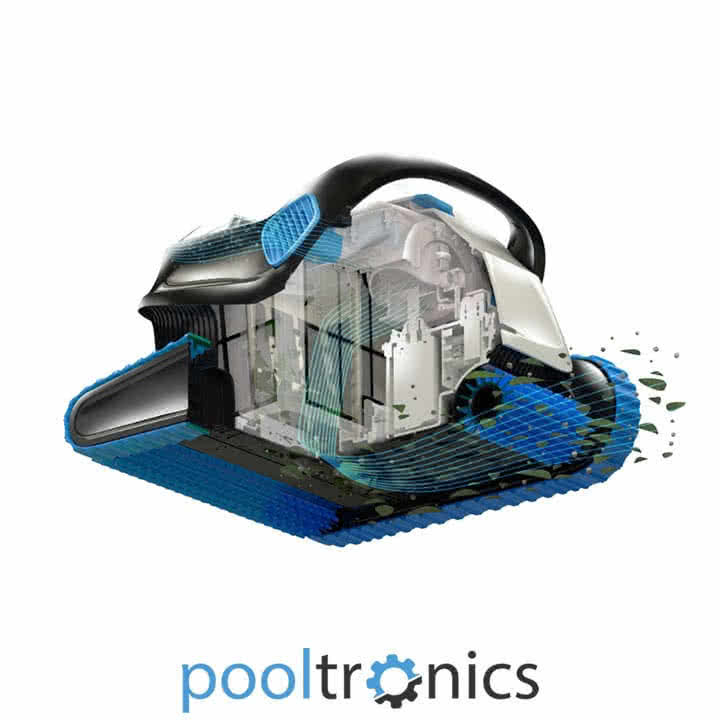
Maintain water chemistry within the ranges recommended for your pool and equipment, and avoid excessive chlorine exposure. Long periods of harsh or unbalanced water conditions may contribute to seal deterioration, plastic fatigue and reduced component life.
2. Manage the Cable on Corded Models
For corded models, follow the placement instructions in your cleaner’s manual and provide enough cable to reach all required areas of the pool. Keeping excess cable out of the water reduces unnecessary tangling and coiling.
Even if your Dolphin has an anti-tangle swivel, careful cable management is still helpful. When storing excess cable outside the pool, create large loose loops rather than tight coils.
3. Clean the Filters After Each Cycle
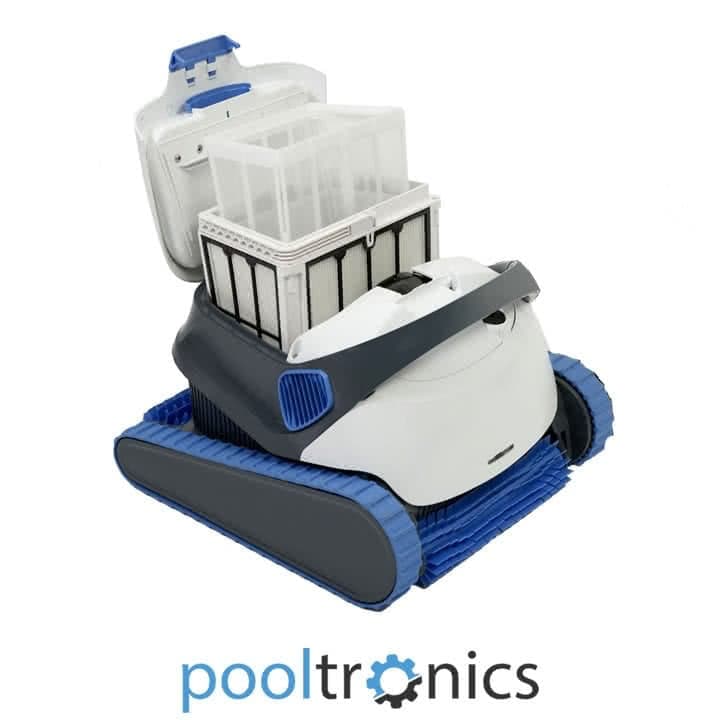
After each cleaning cycle, remove and clean the filter basket, screens or bag. A blocked filter restricts water flow and can affect suction, movement and cleaning coverage.
Clean filters also help reduce strain on the cleaner and make it easier to identify when a filter cartridge, bag or basket is becoming worn and needs replacement.
After Every Cleaning Cycle
- Switch off and disconnect the power supply before handling the cleaner.
- Lift the cleaner using its handle rather than pulling on the cable.
- Empty and rinse the filter basket, cartridges or bag.
- Check the impeller area, brushes, tracks and cable for trapped debris.
- Allow the cleaner to drain before storing it in a shaded, dry location.
4. Store the Cleaner Safely
When the cleaner is not in use, rinse it, clean the filters, allow it to drain and store it in a cool, dry and sheltered place. Avoid leaving the robot exposed to direct sun, harsh weather or rough surfaces for extended periods.
Correct storage helps protect the cable, brushes, seals, tracks and casing.
5. Schedule Routine Maintenance
Pooltronics recommends routine maintenance for Dolphin robotic pool cleaners, especially for units that are used frequently. A health check can include a strip-down inspection, clean-up, seal lubrication and computer diagnostic reporting.
Diagnostic data can help identify operating hours, completed cycles, errors and performance behaviour. Available diagnostic information varies by model and can help guide inspection and repair decisions.
When Repairs or Spare Parts Are Needed
If your Dolphin is struggling with traction, water flow, movement, filtration or cable behaviour, worn parts may be involved. Common replacement items include filters, tracks, brushes, rollers, bearings, cables and power supplies.
Pooltronics supplies genuine Dolphin spare parts and provides professional Dolphin robotic pool cleaner repairs for Melbourne and Victorian customers.
Final Tips
Use your Dolphin regularly, keep the filters clean, manage the cable carefully, avoid harsh water conditions and store the cleaner properly. These habits support cleaning performance and can help reduce premature wear.
For advice, servicing or genuine parts, contact Pooltronics for support.
Dolphin Pool Cleaner Maintenance FAQs
Can I use a Dolphin robotic pool cleaner in a green pool?
Dolphin robotic pool cleaners are maintenance cleaners for loose dirt, dust and debris. Very dirty or green pools should be chemically corrected first to avoid unnecessary strain and premature wear.
How should I manage the cable on a robotic pool cleaner?
For corded models, follow the placement instructions in the cleaner’s manual and provide enough cable to reach all required areas. Keep excess cable out of the pool and store it in large loose loops rather than tight coils.
How often should I clean the filters?
Clean the filter basket, screens or bag after each cycle to maintain water flow, traction and cleaning performance.
How often should I inspect brushes and tracks?
Inspect brushes, tracks and rollers regularly for wear and replace them when performance declines or visible damage appears.
Should I use genuine Dolphin spare parts?
Yes. Genuine Dolphin parts help maintain compatibility, fit and long-term reliability.
When should a Dolphin robotic pool cleaner be serviced?
Consider servicing when performance drops, wear is visible, faults appear or as part of routine annual care for heavily used cleaners.